
Charge handling fees and invoice automatically
Every fine costs your organisation time. With Fleetfines you add a fixed handling fee on top of the fine, drivers automatically receive an invoice with every payment and business customers simply pay on invoice.
Set it up once in Settings. From then on Fleetfines works out the amounts, the VAT and the invoice numbers itself.
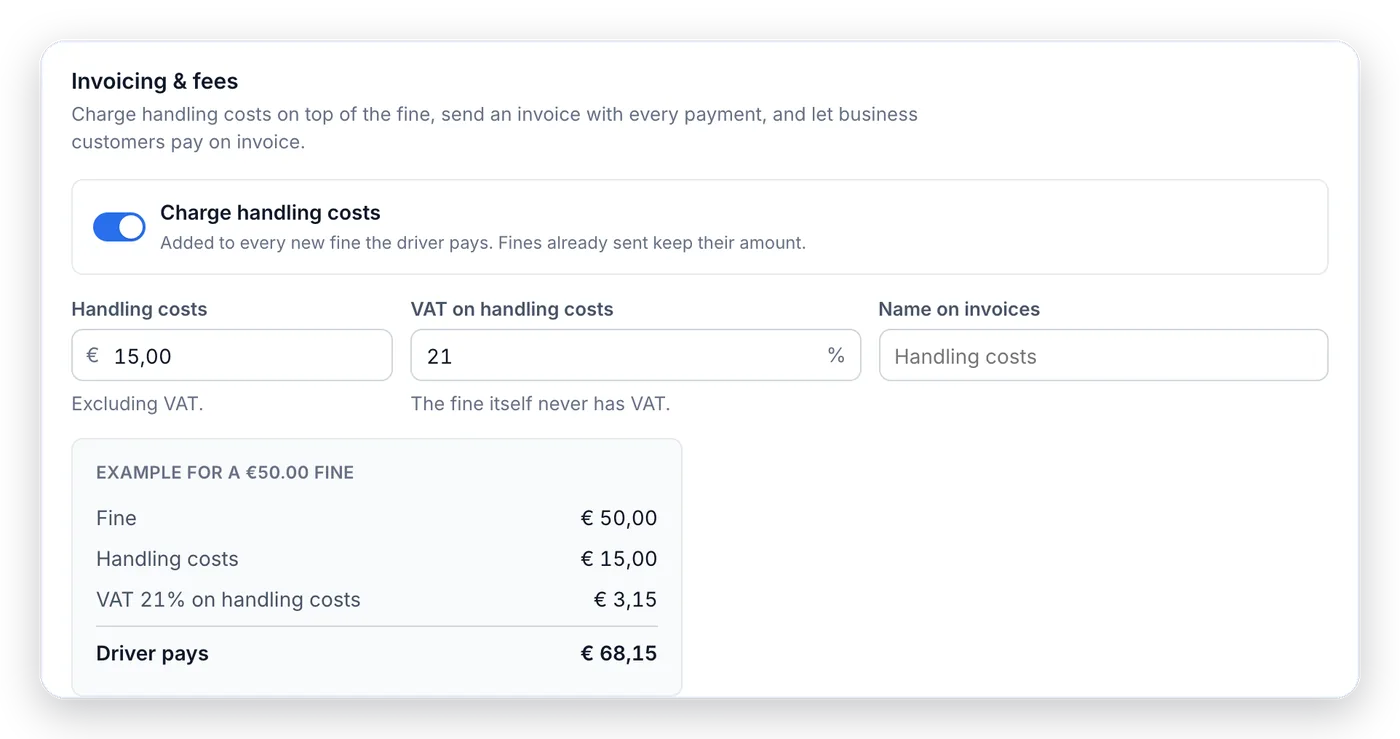
A fixed amount on top of every fine
Switch on handling costs and choose the amount, for example € 15.00, and the VAT rate. The fine itself is passed on without VAT; Fleetfines only charges VAT on the handling fee. That keeps the settlement with the driver and the tax authorities clean.
- Fixed amount per fine, set excluding VAT
- VAT only on the handling fee, never on the fine
- Worked example shown instantly: fine € 50.00 + € 15.00 + € 3.15 VAT = € 68.15
- Applies to every new fine; existing fines keep their amount
- Your own name for the fee on the invoice, such as ‘Administration fee’
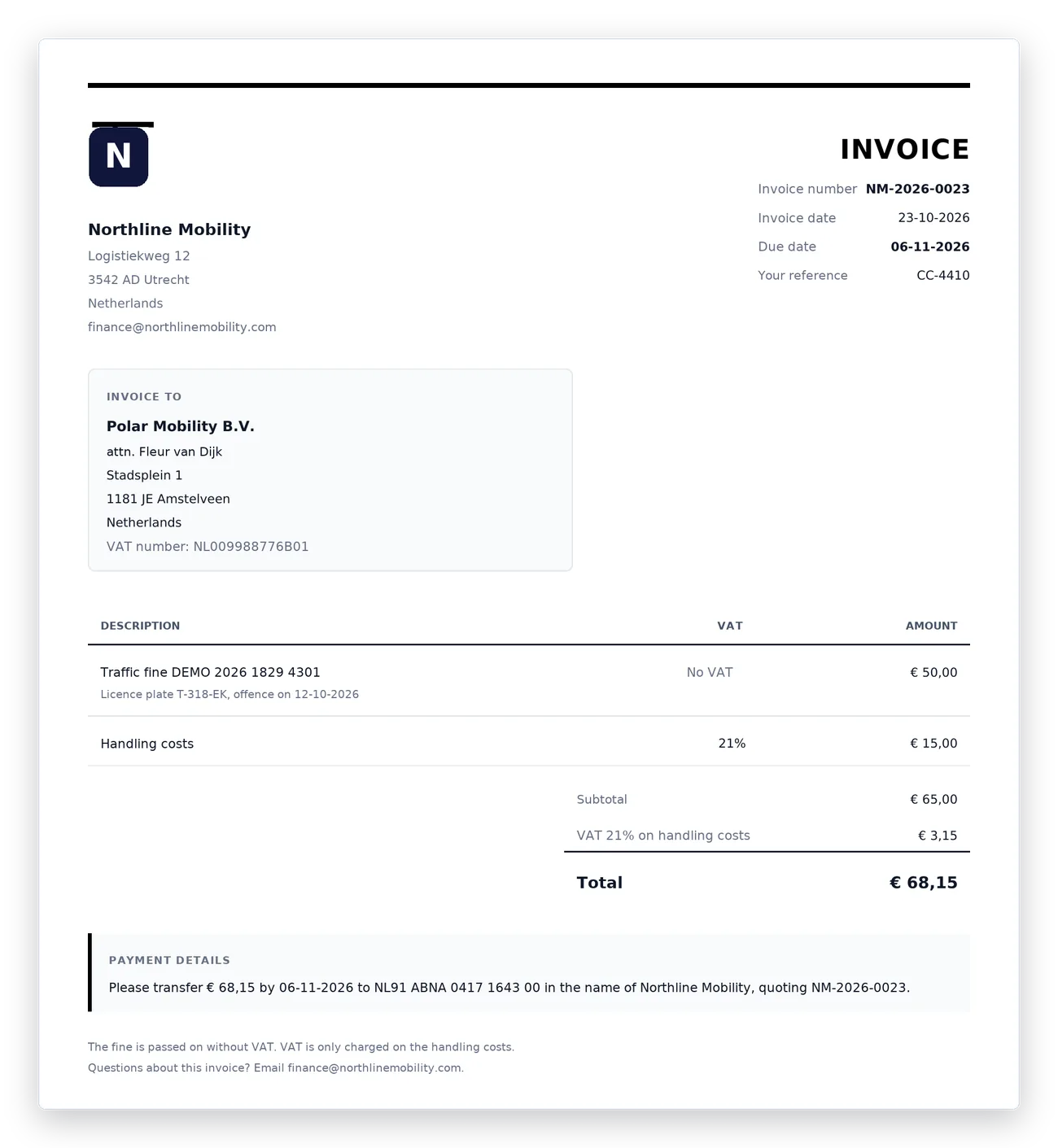
A PDF invoice with every payment, hands-free
As soon as a payment comes in, Fleetfines emails the driver an invoice as a PDF. The invoice number increments automatically with your own prefix, for example NM-2026-0024, and the invoice shows your legal company name, Chamber of Commerce and VAT numbers, IBAN and a footer text of your own.
Questions about an invoice arrive at the email address you choose for it.
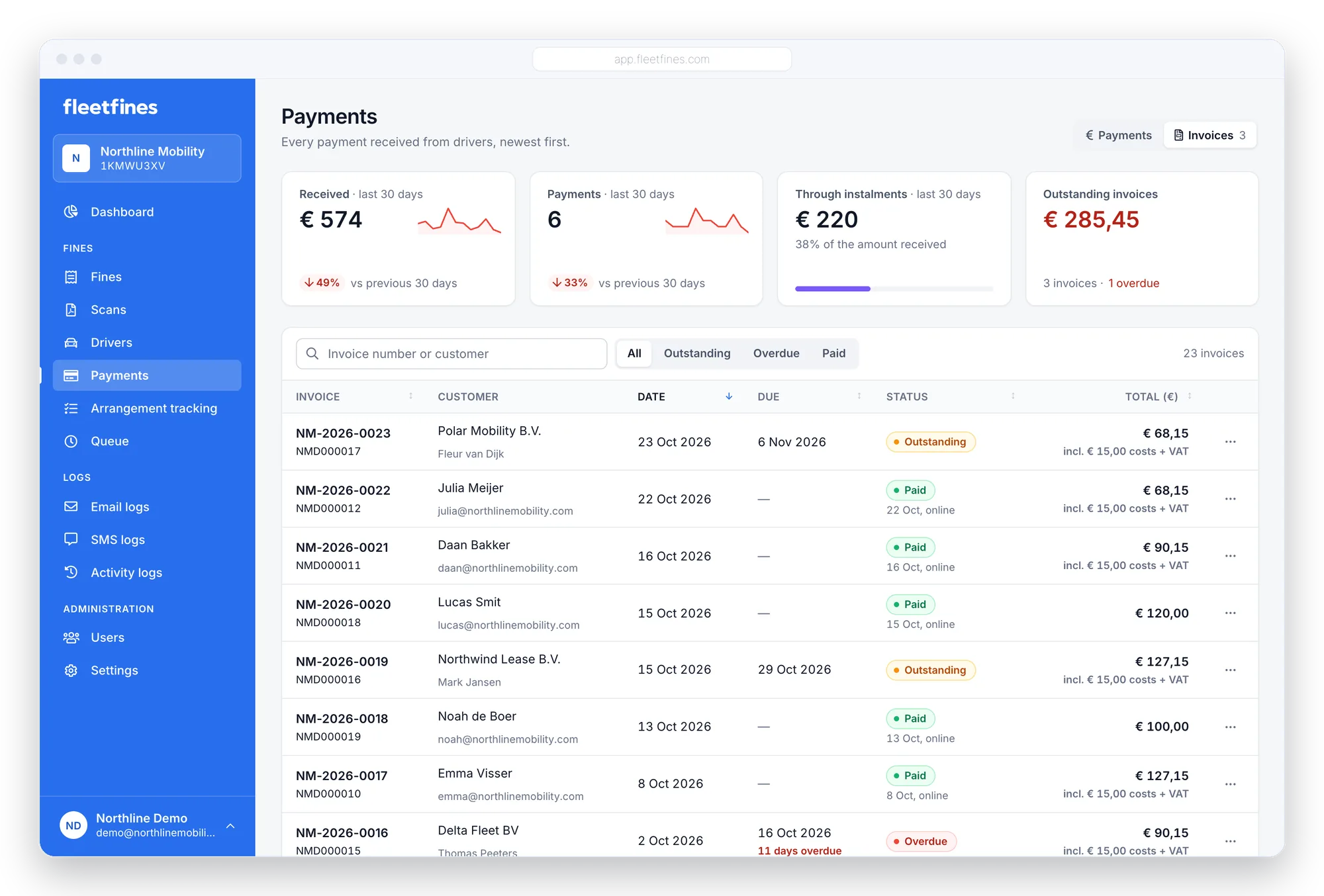
Pay on invoice for employers, lease companies and agencies
Not every fine is paid by the driver personally. An employer, lease company or staffing agency prefers to pay on invoice. Switch on ‘Pay on invoice’ and choose a payment term, for example 14 days.
- The driver chooses on the payment page: pay online or on invoice
- Or you set it per driver or per fine
- Reminders stop as soon as the invoice has been sent
- Outstanding, overdue or paid: you see it in one overview
- Resend an invoice or mark it as paid with one click
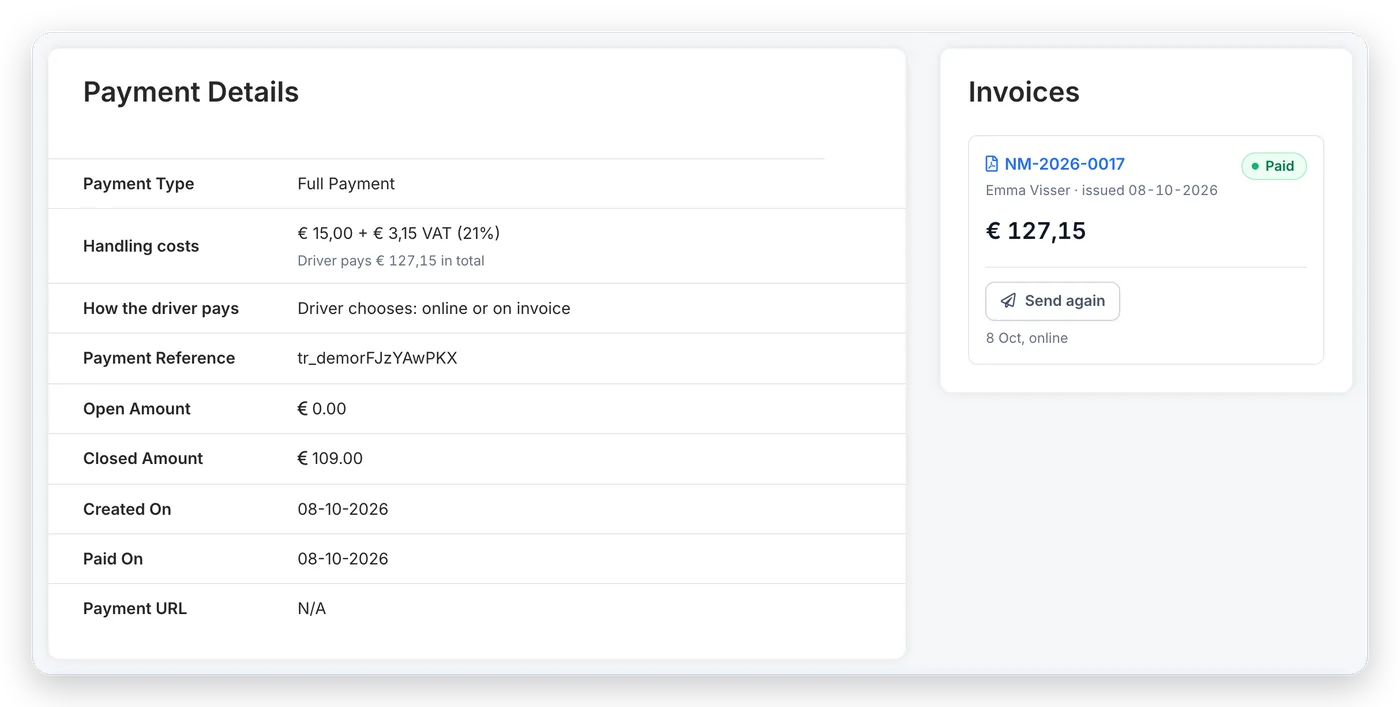
Manage invoices without an extra tool
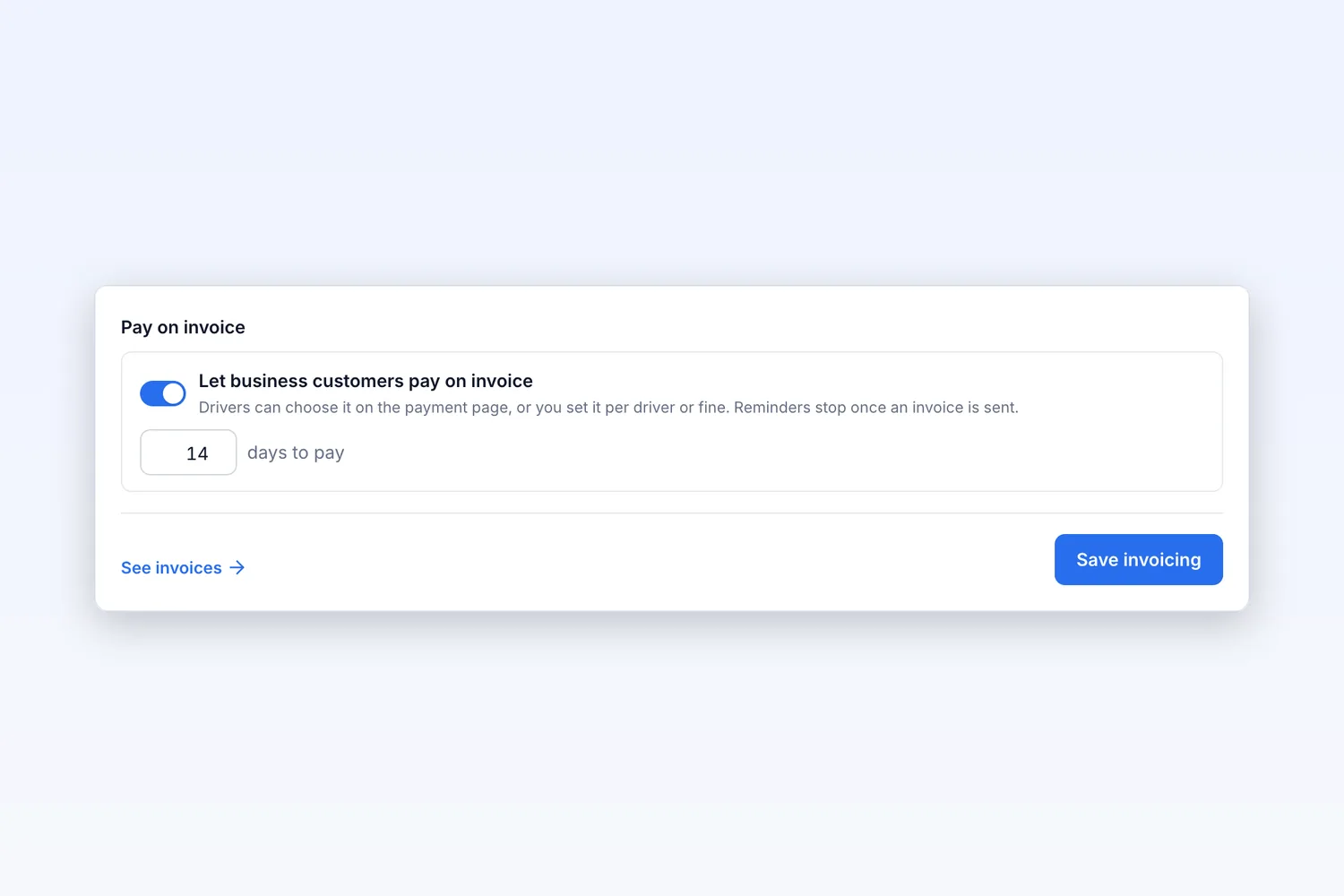
Payment term of your choice
Set how many days a business customer has to pay. Reminders stop once the invoice has been sent.
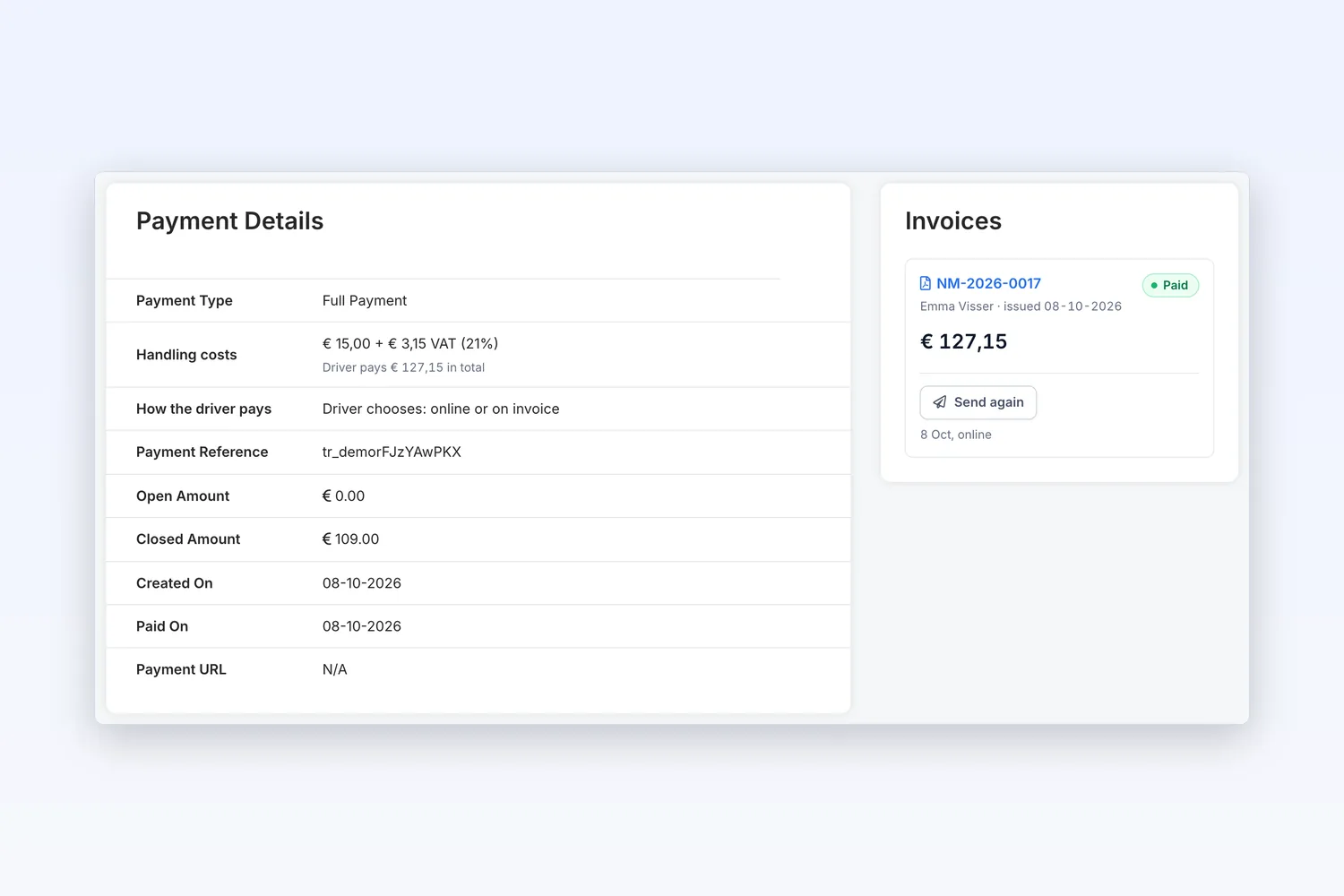
Transparent per fine
For every fine you see the handling fee, what the driver pays in total and which invoice belongs to it.
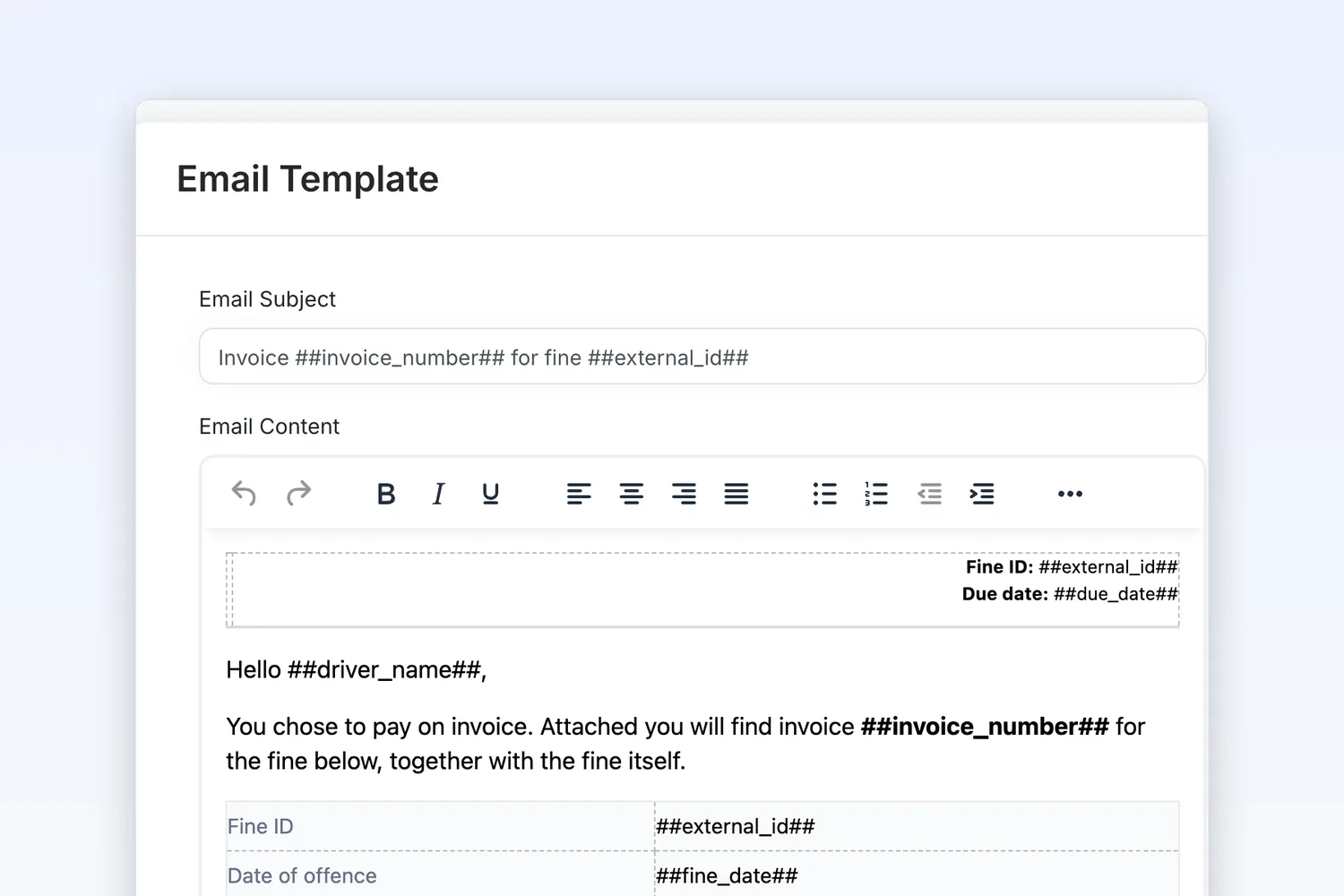
Invoice email in your own tone of voice
Write the accompanying email yourself, with tags for the invoice number, amount and download link.
Handling fees and invoices
How do handling fees work in Fleetfines?
You switch on handling costs in Settings and choose a fixed amount and a VAT rate. Every new fine gets that amount added; in the payment request the driver sees the fine, the handling fee and the VAT separately.
Is VAT charged on the fine?
No. The fine is passed on without VAT. VAT is only calculated on the handling fee, for example 21% on € 15.00 = € 3.15.
Can a business customer pay on invoice?
Yes. Switch on ‘Pay on invoice’. The driver chooses it on the payment page, or you set it per driver or fine. The invoice is emailed to the company with a payment term you decide.
Is invoicing included in the price?
Yes. Handling fees, automatic invoices and paying on invoice are part of the fixed price of € 5 per month, excl. VAT.

Handling fees and invoices, handled automatically.
Try Fleetfines completely free. After that you pay one fixed price of €5 per month (excl. VAT), with everything included.