
An instant overview of all drivers and outstanding fines
A clear layout shows all drivers with their relevant data.
You can load drivers from a CSV, connect to Google Sheets or sync them automatically from your own system through an API integration.
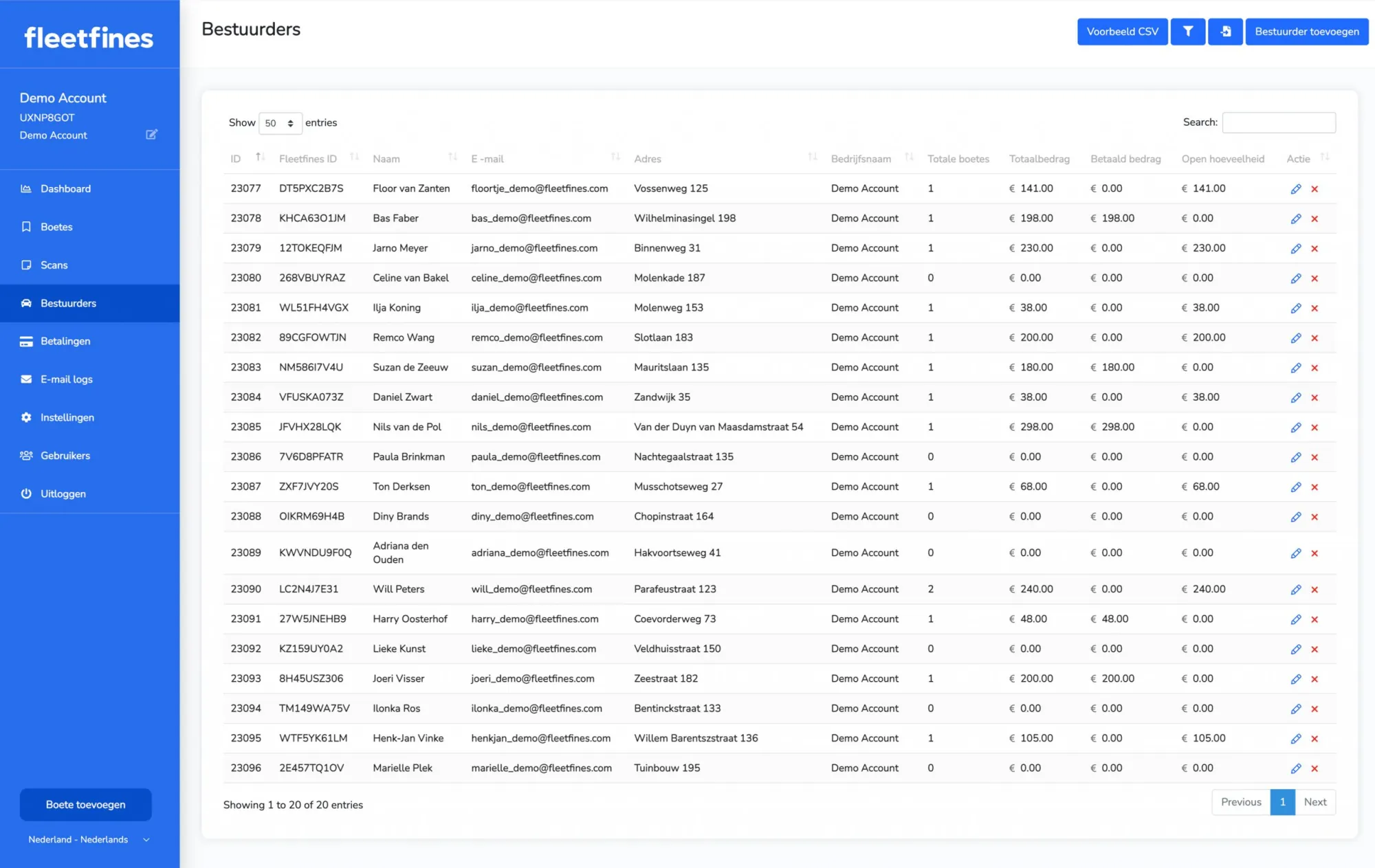
Easy management of all drivers
Manage all drivers within Fleetfines and get instant insight into the number of fines and the outstanding and paid amounts. The search and filter functions take you to the right driver in seconds.
The driver's screen shows the entire history — from the total amount of fines, average payment time and total number of reminders sent to the outstanding and/or paid amounts with their dates.
Direct synchronisation or CSV import. You can automatically pull all drivers from Google Sheets so they're always live and up to date within Fleetfines. Do you work with your own HR, planning or fleet system? Then drivers can also be synchronised through an API integration. If you don't use a Google Sheet, you can of course run an import based on a sample .CSV file.
All of a driver's data in one place
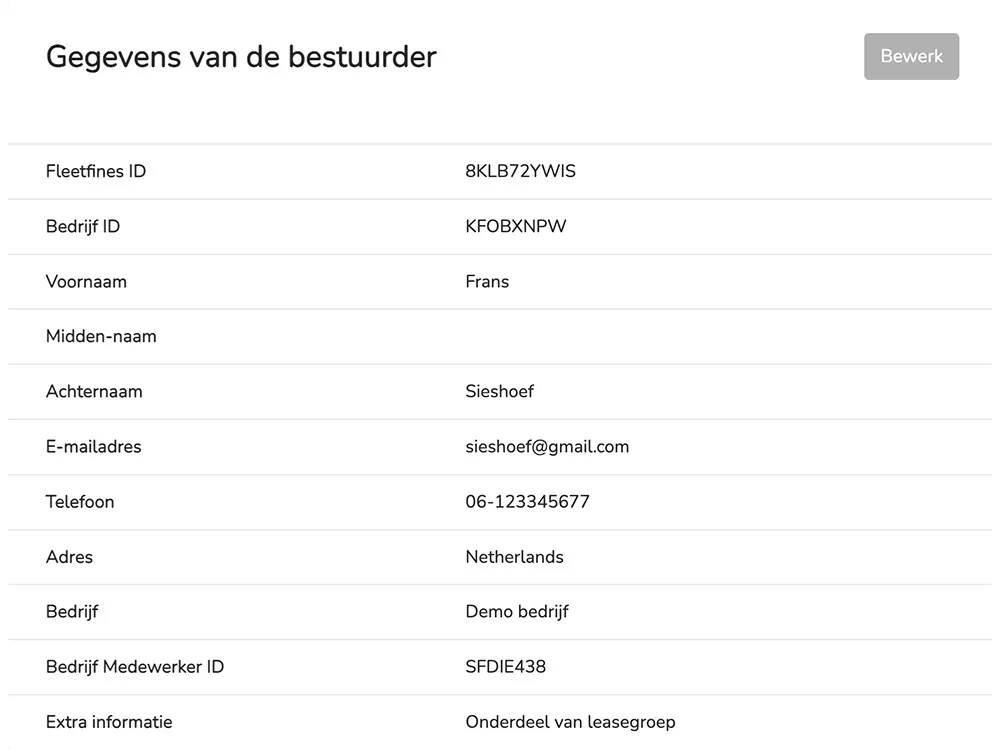
Relevant driver details
Instant insight into the driver's contact details and any additional information.
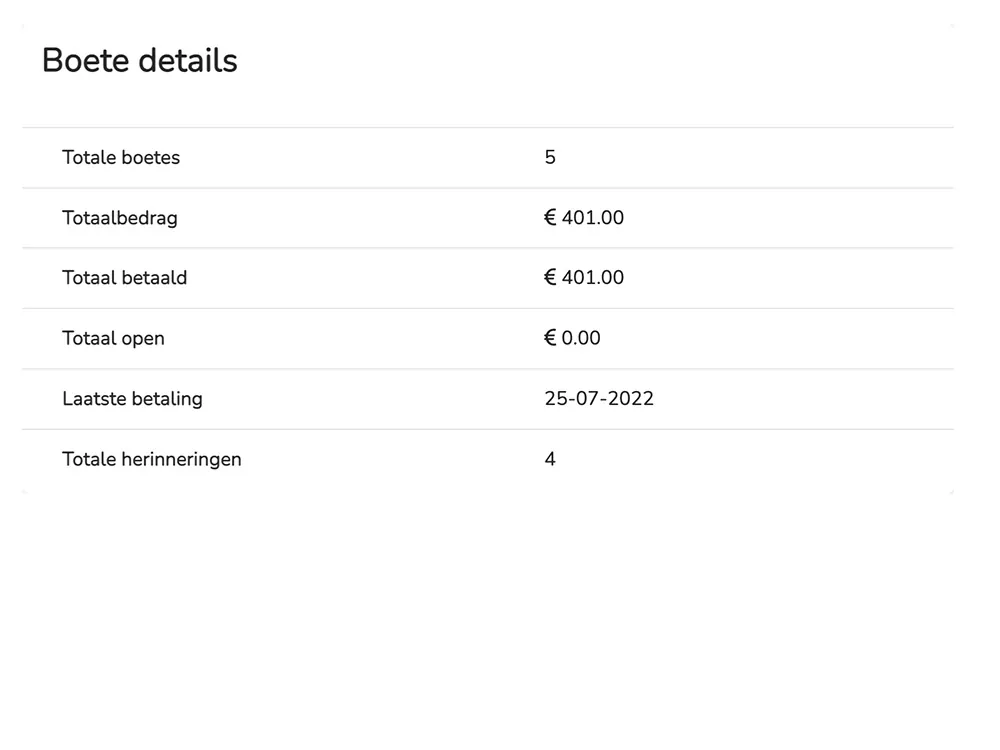
The driver's fine data
An overview per driver, from the number of fines to the amounts and reminders.
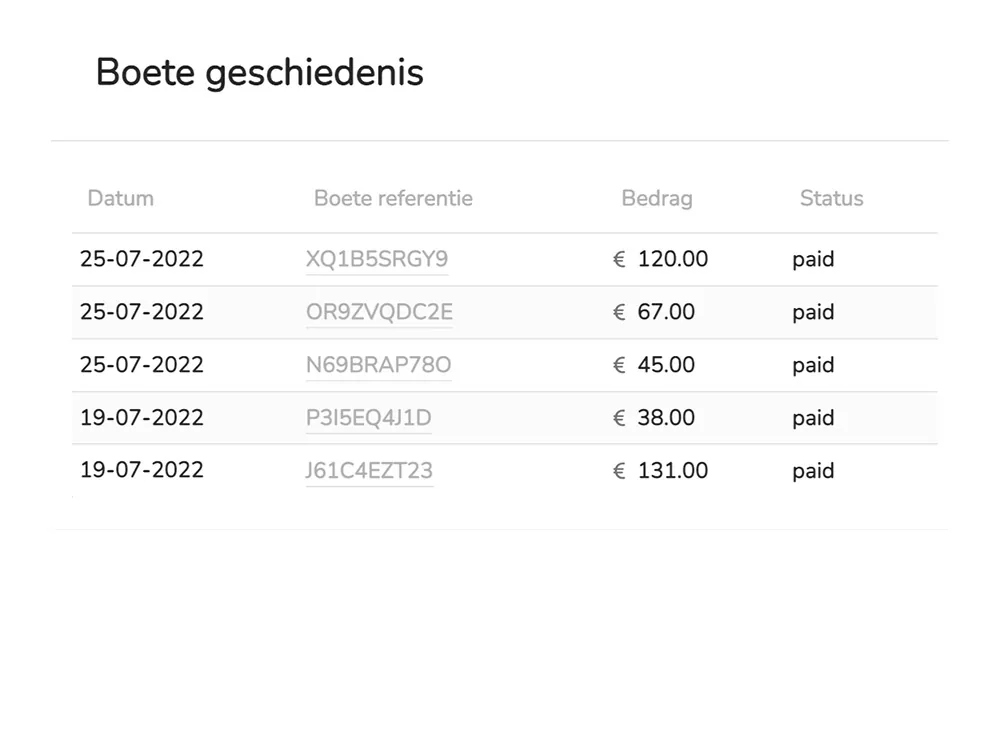
Fine history
All fines lined up, with the various payment statuses that go with them.
Managing drivers in Fleetfines
How do I get my drivers into Fleetfines?
You import drivers with a CSV file, connect a Google Sheet that is synchronised automatically, or sync them through an API integration from your own HR, planning or fleet system.
What do I see per driver?
Per driver you see the contact details, the number of fines, the total amount, the outstanding and paid amounts, the average time to pay and the number of reminders sent, including the full fine history.
How is driver data secured?
All data is stored securely and access to Fleetfines can be protected with two-factor authentication.

“What a blessing to use a Fine Management Tool like Fleetfines. It not only saves us tonnes of time, it also reduces the errors that occur during the manual process and significantly increases the number of fines paid by our drivers.”Sergio – Fleet Manager, HelloFresh

The solution for automatically managing traffic fines for fleet managers.
Try Fleetfines completely free. After that you pay one fixed price of €5 per month (excl. VAT), with everything included.